Account Deletion
Follow these steps to delete your account. You can restore it by logging in again within 30 days. After 30 days, deletion is permanent.
Step 1
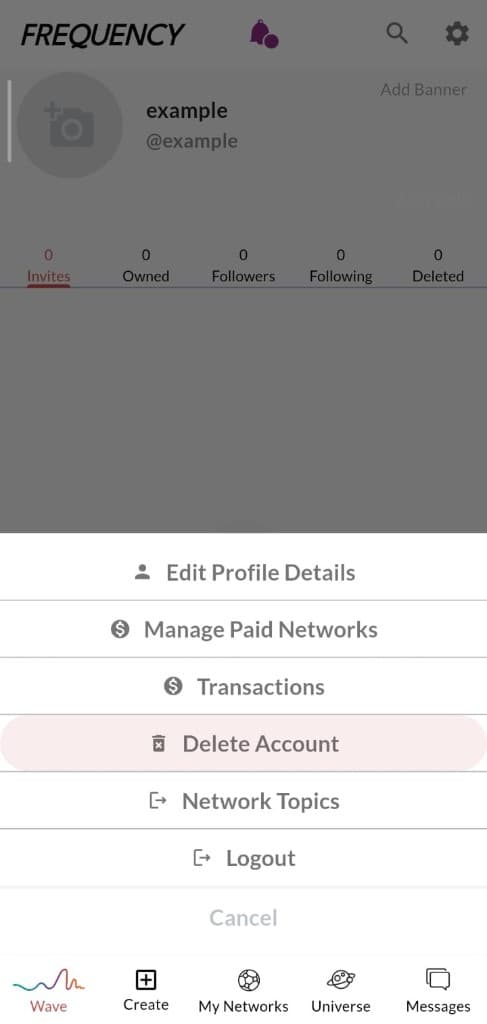
Open Delete Account
From your profile menu, select Delete Account.
Step 2
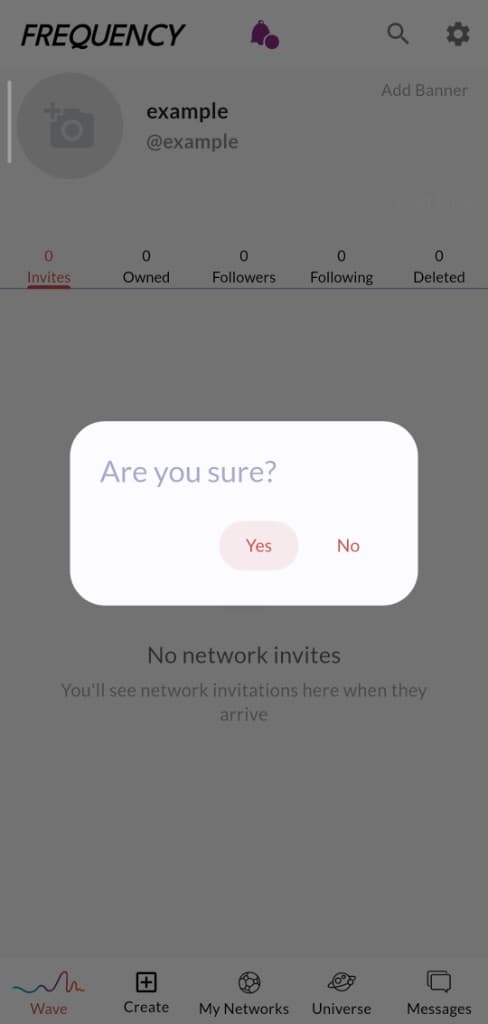
Confirm “Are you sure?”
A popup asks if you are sure. Tap Yes to continue.
Step 3
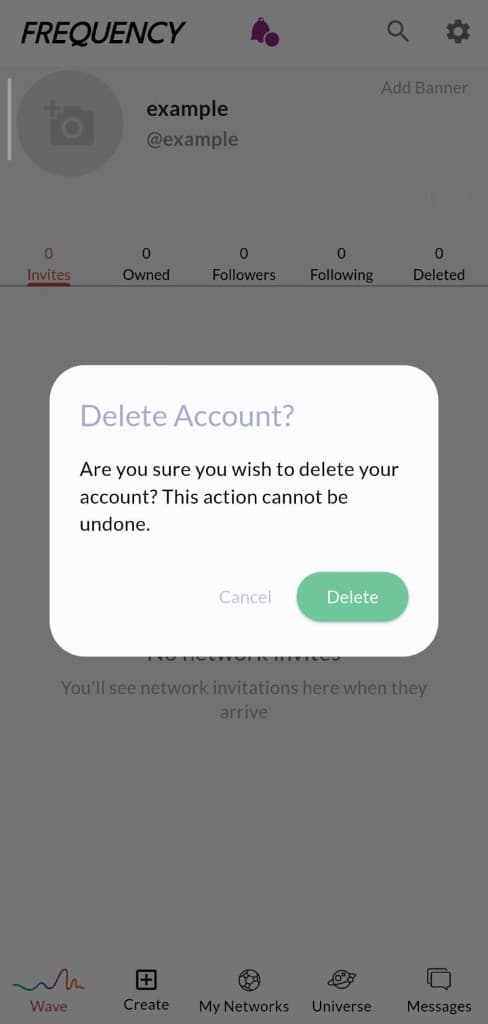
Confirm Delete Account
A second popup titled Delete Account? appears. Tap Delete to proceed. This starts the deletion process.
Restoring your account
After you delete your account, you have 30 days to restore it. Log in again before those 30 days are up and your account can be recovered. Once the 30-day window ends, the account is deleted permanently and cannot be restored.